Border Archive
Interactive guide · checked August 28, 2026

Vehicle Inspection Guide & Checklist

Review documents, X-ray, trunk, engine, and the final evidence decision for each vehicle. The checklist stays in your browser and never reads Roblox progress.

5 review stationsNo account connectionAll guidesFull walkthrough
Quick answer

This Secure the Border vehicle inspection guide uses five reminders: documents, X-ray, trunk, engine, and evidence review before the decision shown by your current client. A completed checklist means “reviewed,” not “approved” or “guilty.”

Which checks should you review for each vehicle, and which exact guide opens when you get stuck? The five rows and their help links answer both questions.

Per-vehicle helper

Inspection checklist

Browser only

Check a row after you review that station. Completion means the route was reviewed; it does not decide whether a driver or vehicle should pass.

Open document method
Open X-ray guide
Open search guide
Open search guide
Review threat signals
The five stations

Why each check stays separate

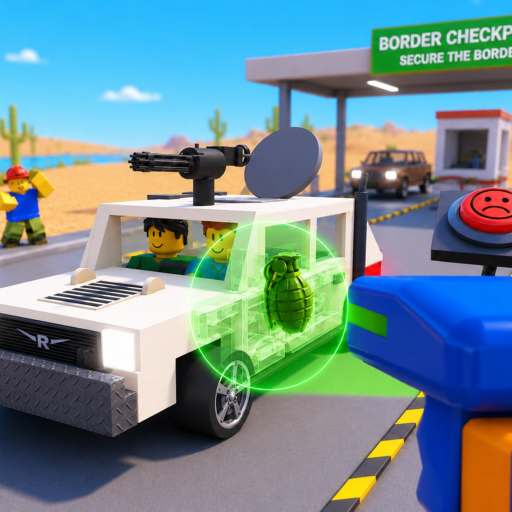
The game description names documents, X-ray, trunk, and engine as inspection work. Evidence review closes the browser checklist while the live game provides the actual decision.

  1. 01

    Check documents

    Open the driver paperwork and read every field visible in your current client.

  2. 02

    X-ray the vehicle

    Use the X-ray station and review the evidence rendered by the current game version.

  3. 03

    Search the trunk

    Treat the trunk as its own physical inspection area.

  4. 04

    Search the engine

    Treat the engine as a separate physical inspection area.

  5. 05

    Review the decision

    Combine the evidence, then use the action and verdict interface shown in your client.

If the game is still waiting

Two recovery checks

  • If a prompt is missing, use the controls shown for your current platform and version; copied keybinds may be stale.
  • If the game is still waiting, revisit each visible station because this browser helper cannot detect hidden client state.

Common mistakes

  • Treating a completed browser checklist as a guilty or approved verdict.
  • Skipping a physical area because another station looked clear.
  • Assuming one fixed order is mandatory on every platform and update.
FAQ

Checklist questions

Does the checklist save my Roblox progress?

No. It runs in your browser and never connects to a Roblox account or game server.

Is this inspection order mandatory?

No. It is a repeatable learning route across the official action set, not a claim that every client enforces one order.

Does completing all five checks guarantee the correct verdict?

No. Use the evidence, prompt, and decision interface shown by the current game version.

What does Reset vehicle do?

It clears only the five browser checkboxes. It does not change game or account state.